Scheduling that works for the whole team

Your whole team.
One clear day.

Big team. Moving parts. Changing plans.
Bring it all into view with a calendar that connects the office, the field, and everything that happens next.

Sign Up now See it in action No payment details needed for this preview.
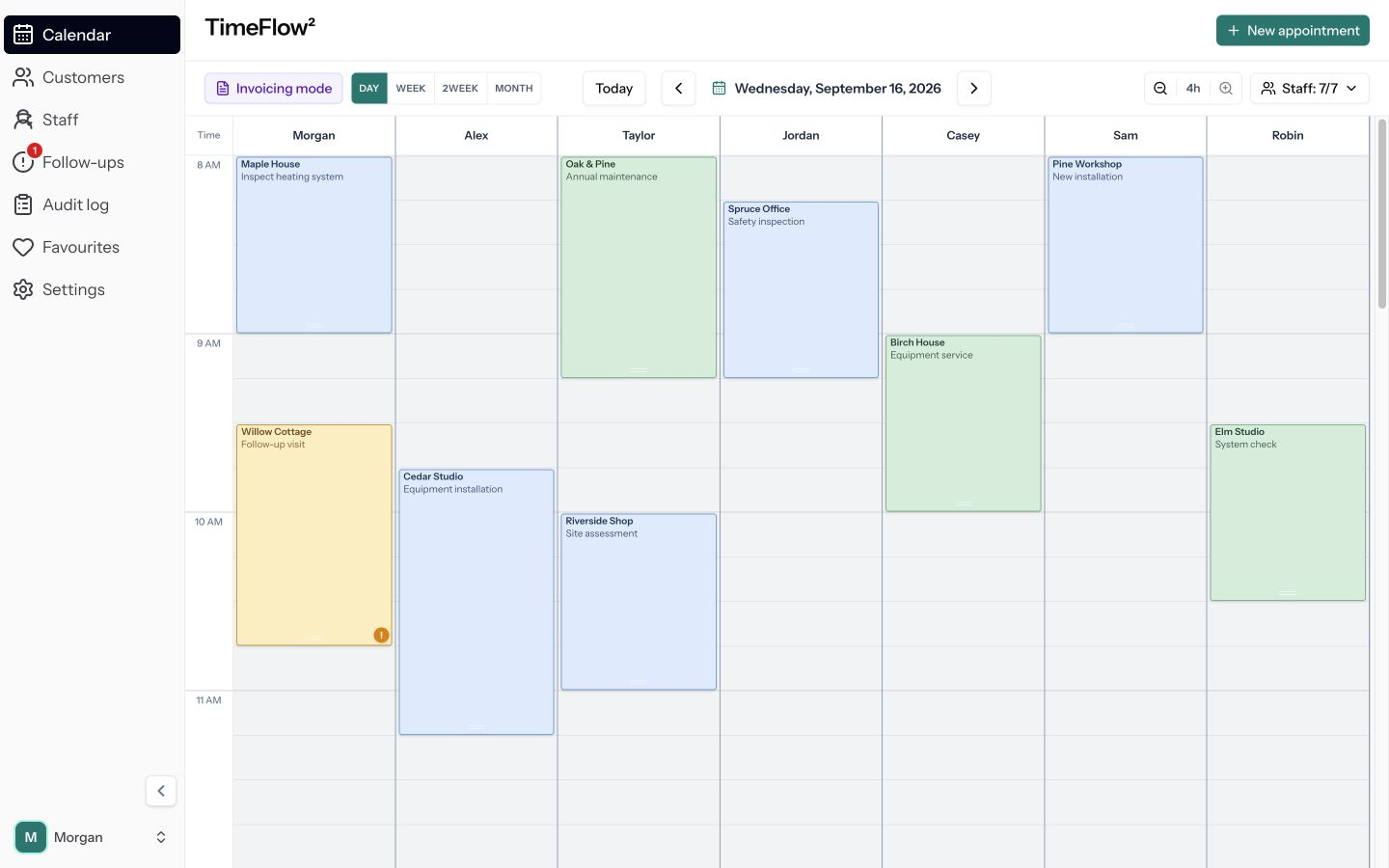
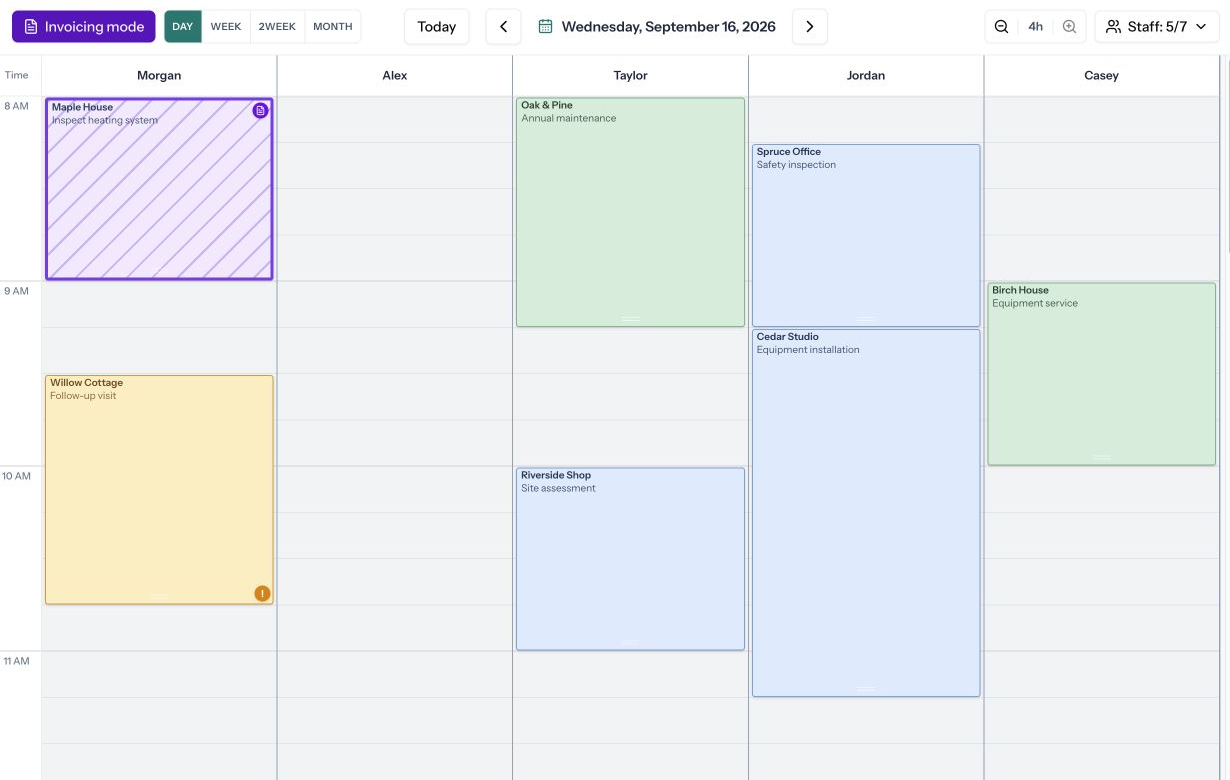
TimeFlow calendar on a white iMac, with seven staff columns, blue scheduled appointments, green completed jobs and an amber follow-up.

One calendar. Your entire team.

No staff cap Drag, drop & resize Field updates, connected Your way of working

Built around the way work happens

More people.
Less juggling.

A clear view of every person, every appointment, and every change. Bring your whole team into one calendar, with no staff cap.

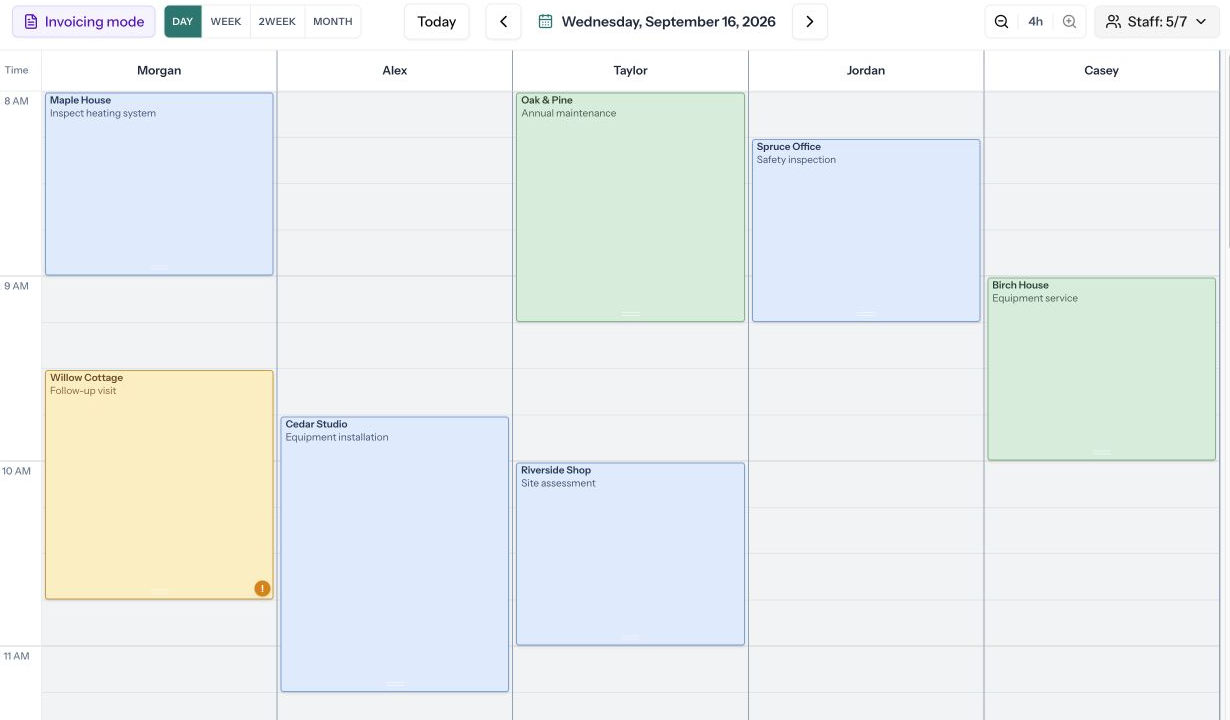
Make room for a changing dayDrag, drop and resize appointments in seconds.
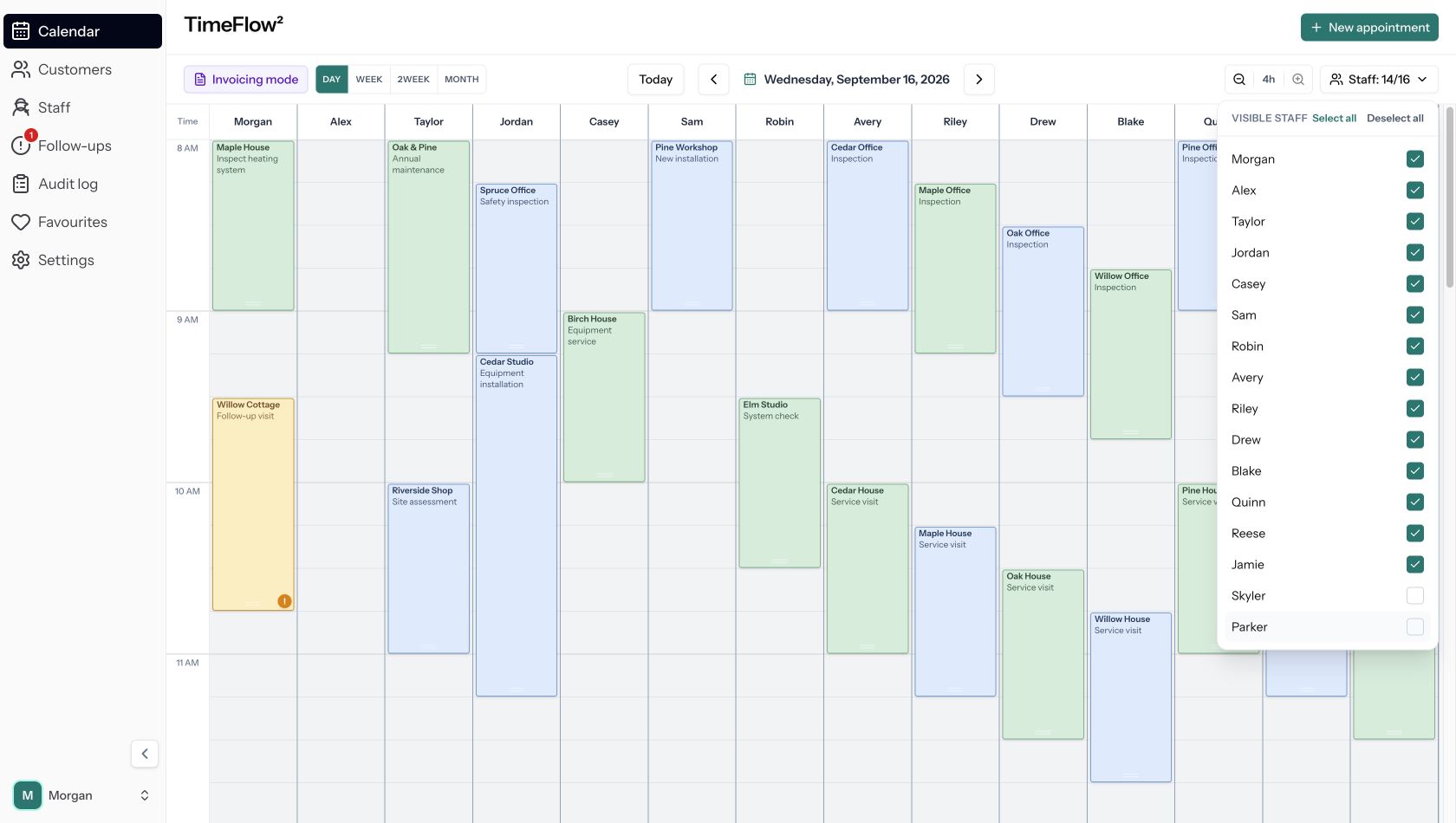
See the people you needChoose staff columns without losing the bigger picture.
Know what needs attentionColours distinguish scheduled, completed and follow-up work.
Actual TimeFlow calendar with fourteen staff columns, blue and green appointments, and the staff selector open with fourteen of sixteen staff selected.
A shared view that stays easy to read as your team grows.

One workspace. Every part of the team.

A better day.
For every role.

From the first booking to the final invoice check, everyone works from the same appointment.

01 / KEEP THE DAY MOVING

Change the plan.
Keep your flow.

A familiar calendar that feels natural from your first booking. Move jobs between staff and times without rebuilding your day.

  • Drag to book, move and resize
  • See several staff side by side
  • Keep repeat visits on the calendar
Sign up Now
Actual TimeFlow workflow: drag Cedar Studio to another staff member, then resize its duration.
Move it. Resize it. Keep the day flowing.

See the day beyond the calendar

The right help.
Closer than you think.

See your team’s scheduled job locations on a map. When someone needs another pair of hands, quickly check who has work nearby and make a more informed assignment.

Illustration · Maps use scheduled job addresses.
Context that travels with the job

One appointment.
The whole story.

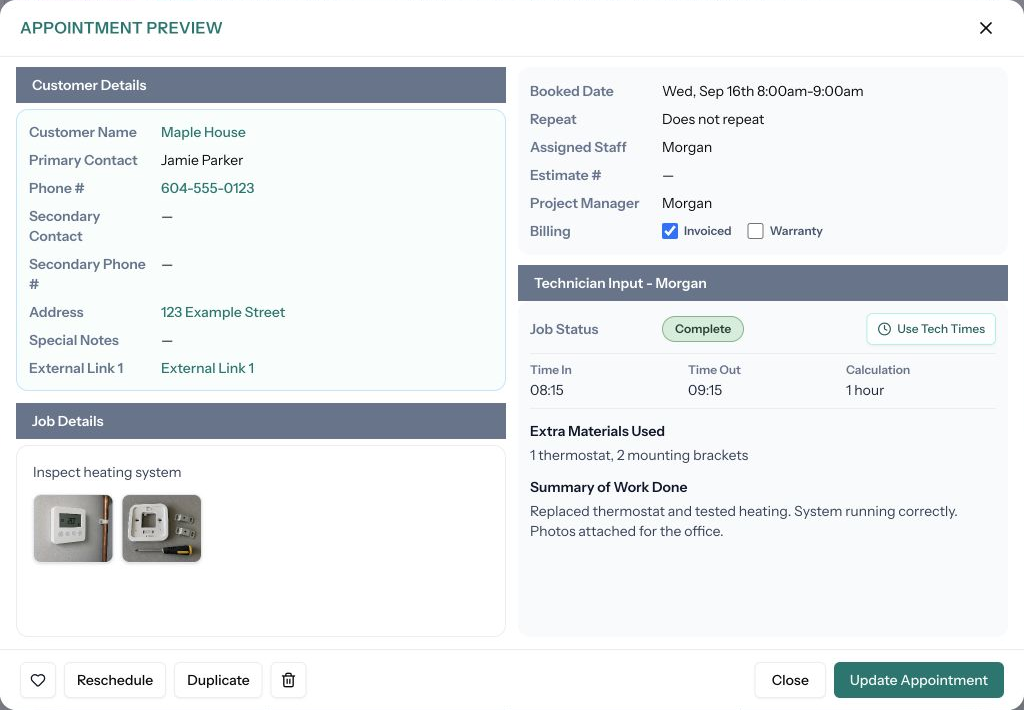
Customer details, job notes, photos, staff time and billing status — all in one spot. See the work, understand what happened, and pick up exactly where your team left off.

Actual appointment preview with customer details, job notes, photo thumbnails and technician information.
Actual TimeFlow² · Appointment details

It should feel like your business

Your colours.
Your labels.
Your TimeFlow.

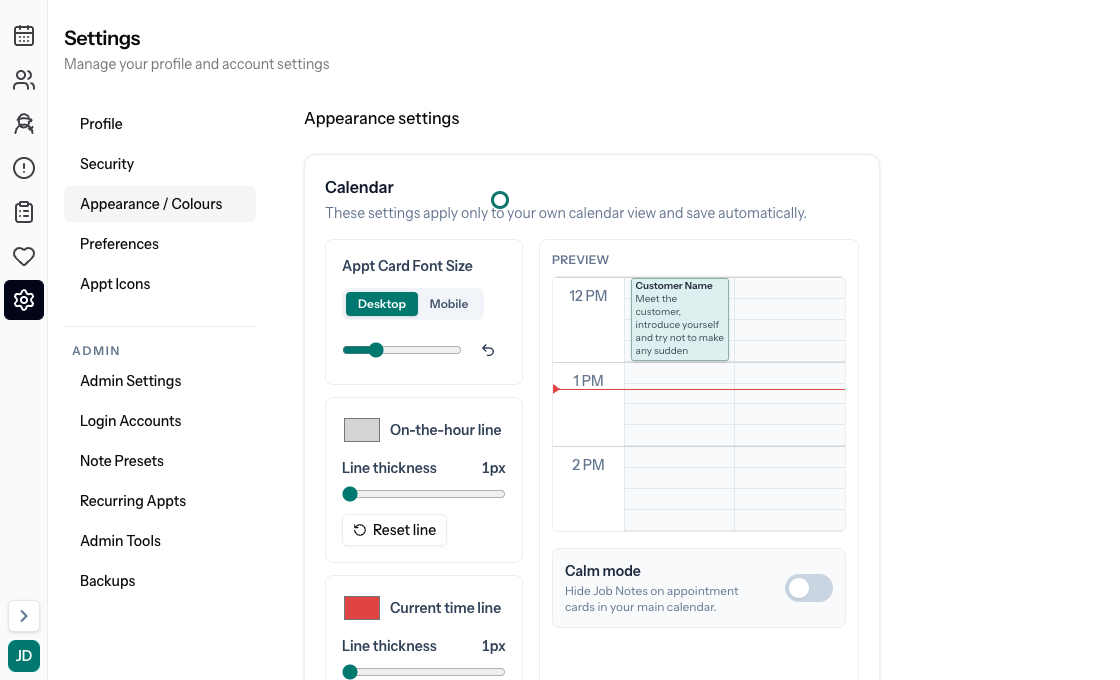
Bring your logo, choose your calendar colours, rename customer fields and arrange appointment details to match the way your team works.

Sign up Now
Actual TimeFlow appearance settings with calendar colour and layout controls.
Recorded in TimeFlow² · Fictional demo workspace
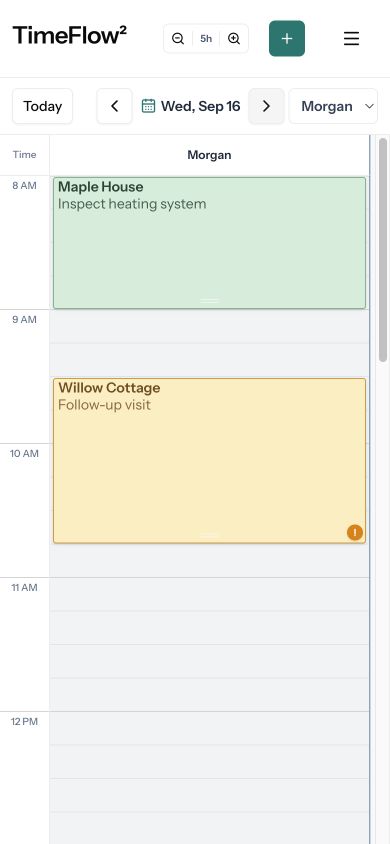
Actual TimeFlow mobile web calendar showing a technician’s daily appointments on an iPhone-sized screen.
9:41TimeFlow²YOUR NEXT JOB
10:00Maple HouseHeating service
View appointment
TimeFlow² for Apple Watch

Out of the office. Still in the loop.

Your day.
In your pocket.

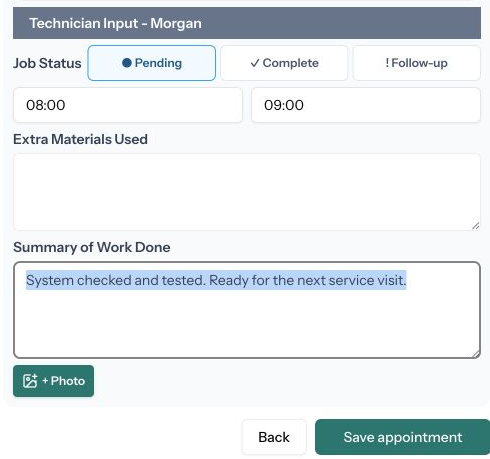
Your team can open the mobile calendar on their phone, check the next appointment, and keep the office updated from the job site.

  • A calendar designed for a smaller screen
  • Customer and job details close at hand
  • Time entries, notes, photos and job status

Use TimeFlow in your phone’s browser today. TimeFlow² is also available on Apple Watch, with appointment information right on your wrist.

Less coordinating. More doing.

Give your team
a clearer tomorrow.

Sign Up now

Your people. Your schedule. Your flow.